Buy Telegram Accounts
Get reliable Telegram accounts ready for your online needs. Choose the quantity you need and place your order with MaxPVA for fast delivery and responsive customer support.
Random Country Fresh Telegram Accounts
Starter
$8
1 Telegram Account
Business
Popular
$30
5 Telegram Accounts
Bulk
$250
50 Telegram Accounts
Random Country Aged Telegram Accounts
Starter
$10
1 Telegram Account
Business
Popular
$12
1 Telegram Account
Business
$15
1 Telegram Account
USA (+1) Fresh Telegram Accounts
Starter
$10
1 Telegram Account
Business
Popular
$40
5 Telegram Accounts
Bulk
$350
50 Telegram Accounts
USA (+1) Aged Telegram Accounts
Starter
$15
1 Telegram Account
Business
Popular
$20
1 Telegram Account
Business
$25
1 Telegram Account
Buy Telegram Accounts: TDATA, US Accounts, and Security Guide
If you are researching buy Telegram accounts, buy TDATA Telegram accounts, or buy US Telegram accounts, it is important to understand how Telegram accounts work, how login sessions are managed, and what security considerations apply to different account setups. Telegram is a messaging platform that supports private chats, groups, channels, file sharing, and communication across compatible devices.
Users may look for Telegram accounts for different reasons, including managing communities, communicating with customers, joining interest-based groups, or organizing business conversations. However, an account’s age, phone number, or existing session does not automatically guarantee reliability, privacy, or uninterrupted access.
At MaxPVA, our goal is to help users understand Telegram account setup, TDATA terminology, US phone number considerations, privacy, account recovery, and security. Before choosing an account solution, learn how Telegram sessions work, why account ownership matters, and how to protect access to your conversations and connected devices.
What Is a Telegram Account?
A Telegram account gives users access to Telegram’s messaging features. Depending on the account and platform, users can send messages, share files, create groups, join channels, and communicate with contacts through supported devices.
Telegram accounts are generally associated with a phone number during registration, although the available registration and login options may evolve over time. The phone number and other account details can be important for verification and recovery.
Telegram also supports multi-device access. This allows users to access their account from compatible devices while managing active sessions through the platform’s available settings.
Because a Telegram account may contain private conversations, contacts, group memberships, and files, maintaining control over its login methods and active sessions is essential.
Why People Search for Telegram Accounts
Searches such as buy Telegram accounts can reflect several different needs. Some users want to understand how to establish a new account, while others are researching US-number registration, existing sessions, or account management for community activities.
The right setup depends on your intended use. Someone who wants to communicate privately may need a straightforward personal account, while a community manager may need to understand channels, groups, administrative permissions, and account security.
Before choosing an account arrangement, consider whether you will have legitimate control over its phone number, recovery methods, and active sessions. Login access alone does not necessarily establish full ownership.
Buy Telegram Accounts: Features and Uses
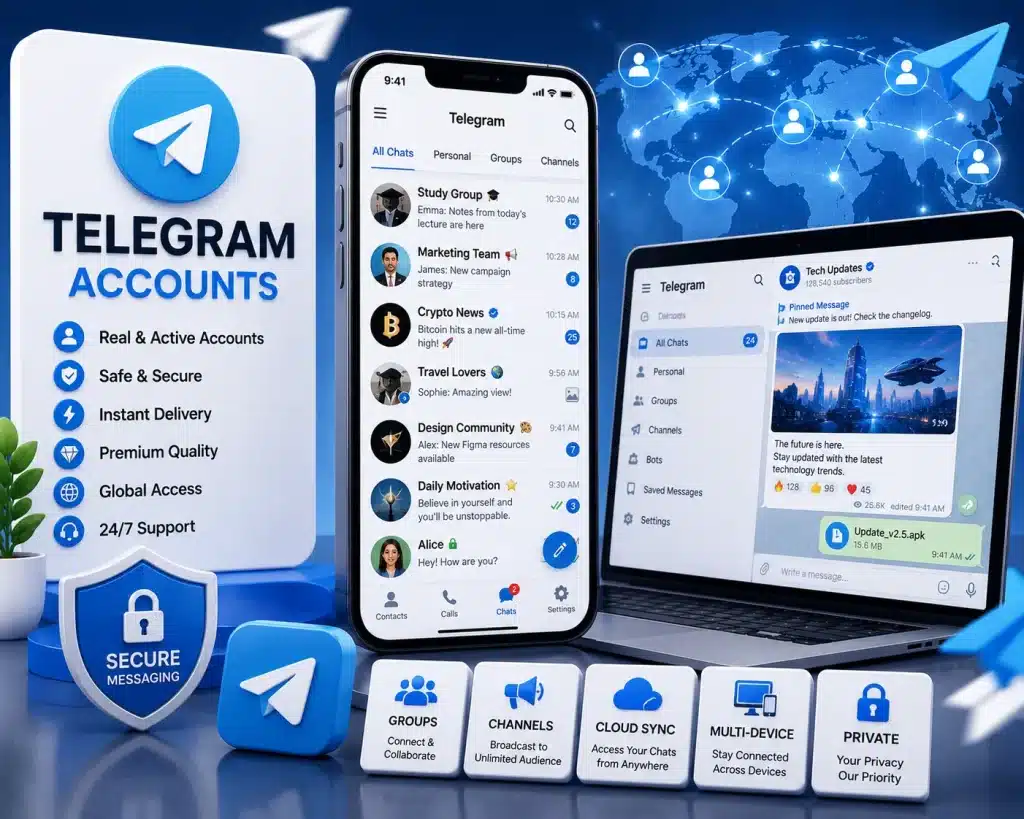
Telegram offers messaging and community features that can support personal communication, professional discussions, and online communities. Available features and account restrictions may depend on the platform’s current policies and configuration.
Private Messaging
Telegram supports direct conversations between users. People can exchange text, images, documents, voice messages, and other supported media.
Users should understand the privacy settings available for their accounts and be careful about the information they share. Not every type of Telegram conversation has the same privacy properties, so review the official explanations of standard chats and Secret Chats before sending sensitive information.
Groups and Communities
Telegram groups allow members to communicate around shared interests, projects, or activities. Depending on the group configuration, administrators can manage permissions, moderation, and membership.
Groups can be useful for customer support, educational communities, hobby discussions, and team communication. Their effectiveness depends on clear rules, responsible administration, and respectful participation.
Before joining or managing a group, review its purpose and any relevant community guidelines.
Channels and Broadcasts
Telegram channels provide a way to publish updates to an audience. Depending on the channel configuration, administrators may manage posts and other channel features.
Channels can be useful for announcements, educational content, news updates, and community information. If you manage a channel, protect administrator accounts carefully and assign permissions only to trusted people.
Multi-Device Access
Telegram supports account access from compatible devices. Users can review and manage active sessions through the available settings.
Multi-device access can be convenient, but it also means that account security should not focus only on the phone currently in your hand. An unfamiliar active session may indicate that someone else has access to the account.
Review connected sessions periodically and terminate any session you do not recognize.
Buy TDATA Telegram Accounts: Understanding TDATA and Session Files
The phrase buy TDATA Telegram accounts is commonly associated with Telegram Desktop data and session-related files. Understanding this terminology is important because session data can be sensitive and may be associated with an account’s authenticated state.
TDATA is commonly used to describe data associated with Telegram Desktop. Depending on the context, people may use the term when discussing local application data, desktop sessions, or account-related files.
The presence of a TDATA folder does not, by itself, establish that an account is transferable, safe, or legitimately accessible by another person.
What Is TDATA?
TDATA commonly refers to local data used by Telegram Desktop. The application may store information that helps it maintain its local configuration and authenticated session.
The exact contents and behavior can depend on the application version and operating system. These files should be treated as sensitive because improperly sharing or exposing session-related data may compromise account privacy.
Users should not assume that copying a data folder is an appropriate or supported way to transfer account ownership.
What Is a Telegram Session?
A session represents an authenticated connection between an account and a device or application. Telegram allows users to review active sessions and manage connected devices through its available settings.
Sessions help users remain signed in without entering their credentials every time they open the application. However, an active session can also present a security risk if someone else obtains access to the device or session data.
For this reason, session files and local application data should be protected like other sensitive account information.
TDATA and Account Ownership
A TDATA folder or an existing desktop session should not be treated as proof that the person providing it owns the account or has permission to transfer access.
If session data belongs to another person, using it without authorization can expose private conversations and other account information. It may also create problems when the rightful owner changes security settings or terminates the session.
For legitimate account management, use Telegram’s supported login methods and maintain control of your own account.
How to Protect Telegram Desktop Data
Keep your computer protected with a strong device password and current security updates. Avoid uploading session-related folders to public file-sharing services or sending them through untrusted channels.
Do not run unknown tools that promise to import, convert, or unlock Telegram sessions. Such tools may contain malware or attempt to collect sensitive account information.
If you believe someone has accessed your Telegram Desktop data without permission, review your account’s active sessions and terminate any unfamiliar connections.
Buy US Telegram Accounts: Understanding US Phone Numbers
People searching for buy US Telegram accounts may be interested in accounts associated with United States phone numbers. However, a US phone number does not automatically make an account more reliable, more private, or eligible for every Telegram feature.
Registration options and verification requirements can change. Users should review Telegram’s current official instructions and ensure that the phone number and account arrangement are legitimate.
Why a US Phone Number May Matter
Some users prefer a US number because of their communication needs, contacts, or business activities. A country code can indicate the numbering region associated with a phone number, but it does not necessarily establish the account holder’s physical location or identity.
A phone number also does not guarantee that every registration attempt will succeed. Availability and verification can depend on the number, the service’s current requirements, and other circumstances.
Number Ownership and Long-Term Access
A phone number can be important for account verification and recovery. If a number is temporary, shared, or controlled by another person, you may lose the ability to receive future verification messages.
This can make it difficult to regain access after a logout, device change, or security check.
For long-term account use, choose a legitimate registration method and make sure you understand who controls the phone number and how future verification will work.
US Number Availability and Verification
Do not assume that every US number supports every Telegram registration or verification process. Some numbers may be unavailable, unsupported, or subject to restrictions.
If you are registering an account, follow Telegram’s official instructions and use a number you are authorized to control. Avoid services that make unsupported guarantees about permanent access or bypassing security checks.
Telegram Account Setup and Login
Creating an account through Telegram’s supported registration process gives you a clearer basis for managing login methods, active sessions, and privacy settings.
Register Through an Official App
Use an official Telegram application or supported client. Follow the registration instructions and provide information required by the platform.
Keep your device secure throughout setup. Avoid entering verification codes into unfamiliar websites or tools, even if they claim to provide account activation or troubleshooting.
Protect Verification Codes
Telegram login codes are sensitive. Never share them with someone who contacts you unexpectedly or claims that they need the code to verify your account.
If you receive a login code that you did not request, do not share it. Review your account’s security settings and active sessions if you suspect that someone is attempting to gain access.
Review Account Settings
After registration, review the available privacy and security settings. Check which phone number information is visible, who can contact you, and which devices are connected to your account.
The available settings may change as Telegram updates its applications. Consult the current in-app options and official guidance for the latest details.
Telegram Account Security and Privacy
Telegram accounts may contain sensitive messages, shared files, contact information, and group memberships. Security should be a priority regardless of how frequently you use the platform.
Enable Two-Step Verification
Telegram offers a two-step verification feature that can provide an additional layer of protection beyond the login code. Review the current setup instructions and choose a strong password if you enable this feature.
Where a recovery email is available or required, secure that email account as well. Keep your recovery information current and stored safely.
Two-step verification can improve protection, but it does not eliminate every risk. You should still secure your device and protect your active sessions.
Review Active Sessions
Use Telegram’s available device or session settings to review where your account is signed in. If you find an unfamiliar device or session, follow the official instructions to terminate it.
It is good practice to review sessions after using a shared computer, changing devices, or noticing suspicious activity.
Manage Privacy Settings
Telegram provides privacy controls for different aspects of account visibility and communication. Depending on the current application, you may be able to control who can see your phone number, profile information, last-seen status, or other details.
Review each option carefully and choose settings that fit your needs. Keep in mind that privacy controls do not prevent every form of information sharing, such as screenshots or content forwarded by other people.
Protect Your Device
Use a strong device passcode and keep your operating system and applications updated. If you use Telegram Desktop, secure the computer and avoid leaving the application unlocked where other people can access it.
Do not download unknown software that claims to improve account security or unlock special Telegram features. Use official applications and trusted security guidance.
Telegram Account Recovery and Troubleshooting
Users may encounter account problems after changing phones, losing access to a number, forgetting a two-step verification password, or discovering an unfamiliar session.
Lost Access to Your Phone Number
A phone number can be important for Telegram login and account management. If you lose access to the number associated with your account, follow Telegram’s current official guidance for your circumstances.
Do not assume that another person can recover the account for you simply by possessing a session folder. Recovery options depend on the account’s setup and the platform’s current procedures.
Forgotten Two-Step Verification Password
If you forget a two-step verification password, use Telegram’s supported recovery options where available. The process may depend on whether you configured a recovery email or other supported method.
Avoid third-party tools that claim to bypass account security. They may compromise your device or expose sensitive information.
Suspicious Login Activity
If you notice unfamiliar account activity, review your active sessions and terminate connections you do not recognize. Secure your device and review your two-step verification settings.
If you suspect that your phone number or email account has been compromised, take steps to secure those accounts as well.
Important Considerations Before Choosing a Telegram Account Solution
Before acting on searches such as buy TDATA Telegram accounts or buy US Telegram accounts, consider account ownership, phone number control, session security, and recovery access.
Telegram accounts may contain private conversations and information about other people. An account’s existing session or desktop data does not automatically establish permission to access or transfer it.
Understand Account Ownership
Login access is not the same as legitimate ownership. A person who provides credentials or session data may not have the authority to transfer the account, and the original account holder may retain access through other sessions or verification methods.
For dependable long-term use, manage an account that you are authorized to control and follow Telegram’s official login and security procedures.
Evaluate TDATA Claims Carefully
A claim that an account includes TDATA does not guarantee that the session will work, that future login will be possible, or that the account is secure. Application updates, session changes, account security measures, and other factors may affect access.
Avoid sharing sensitive session files or relying on unknown utilities to manage them. Protect local account data and use supported application features whenever possible.
Check US Number Requirements
A US country code does not establish account quality or guarantee access to specific Telegram features. Confirm that your registration method is legitimate and that you will be able to maintain access to the number when needed.
Do not rely on claims that a number or account will bypass verification or remain accessible indefinitely.
Prioritize Long-Term Security
For personal communication or community management, protect your credentials, keep recovery methods current, review connected devices, and follow the platform’s policies.
If you manage a Telegram group or channel, protect administrator accounts carefully and assign permissions only to trusted people. A secure account is more useful over time than one whose ownership or recovery options are unclear.
Frequently Asked Questions
1. What does “buy Telegram accounts” mean?
The phrase is commonly used by people researching Telegram account access, registration options, or account features. Before choosing a solution, consider legitimate ownership, phone number control, account recovery, and Telegram’s current terms.
2. What are TDATA Telegram accounts?
The term usually refers to Telegram accounts discussed in connection with Telegram Desktop data or session-related files. TDATA is not a guarantee of account quality or transferable ownership, and session data should be treated as sensitive.
3. What does a US Telegram account mean?
It generally refers to a Telegram account associated with a US phone number. A US country code does not necessarily establish the account holder’s location, identity, or eligibility for every feature.
4. Is TDATA safe to share?
Session-related files can contain sensitive local application data. Sharing them may expose account access or private information, so do not distribute them to untrusted people or upload them to public services.
5. How can I secure my Telegram account?
Enable available two-step verification, protect your login codes, secure your device, review active sessions, and adjust privacy settings. Follow Telegram’s official instructions if you notice unfamiliar activity.
6. Can I use Telegram on multiple devices?
Telegram supports access from compatible devices. Review active sessions regularly and terminate any device connection you do not recognize.
7. What should I do if I lose access to my Telegram account?
Follow Telegram’s official guidance for your situation, particularly if you have lost access to your phone number or two-step verification method. Avoid unofficial tools that promise guaranteed recovery or security bypasses.
8. Does a US number guarantee successful Telegram verification?
No. Registration and verification can depend on the number, the platform’s current requirements, and other circumstances. Use a legitimate number you are authorized to control and follow the official registration process.
Conclusion: Choose a Secure Telegram Account Setup
Understanding buy Telegram accounts, buy TDATA Telegram accounts, and buy US Telegram accounts requires more than comparing phone numbers or session files. Account ownership, control over the registration number, recovery options, and session security all affect whether an account can be managed reliably.
For long-term use, follow Telegram’s official registration process, enable appropriate security protections, protect session data, and review connected devices regularly. Avoid arrangements involving unclear ownership or unauthorized access to another person’s private conversations.
MaxPVA provides educational resources to help users understand online account setup, privacy, and security. Explore our other service guides to learn more about responsible account management and digital communication tools.

